Create your account
Open GradMaps and choose Create account. Use an available Google or LinkedIn sign-in option, or enter your name, email, and password. Review and accept the terms and privacy policy to continue.
Turn a real business problem into a student challenge. Follow these steps in the GradMaps app, from setting up your company profile to submitting your challenge for review.
Follow the steps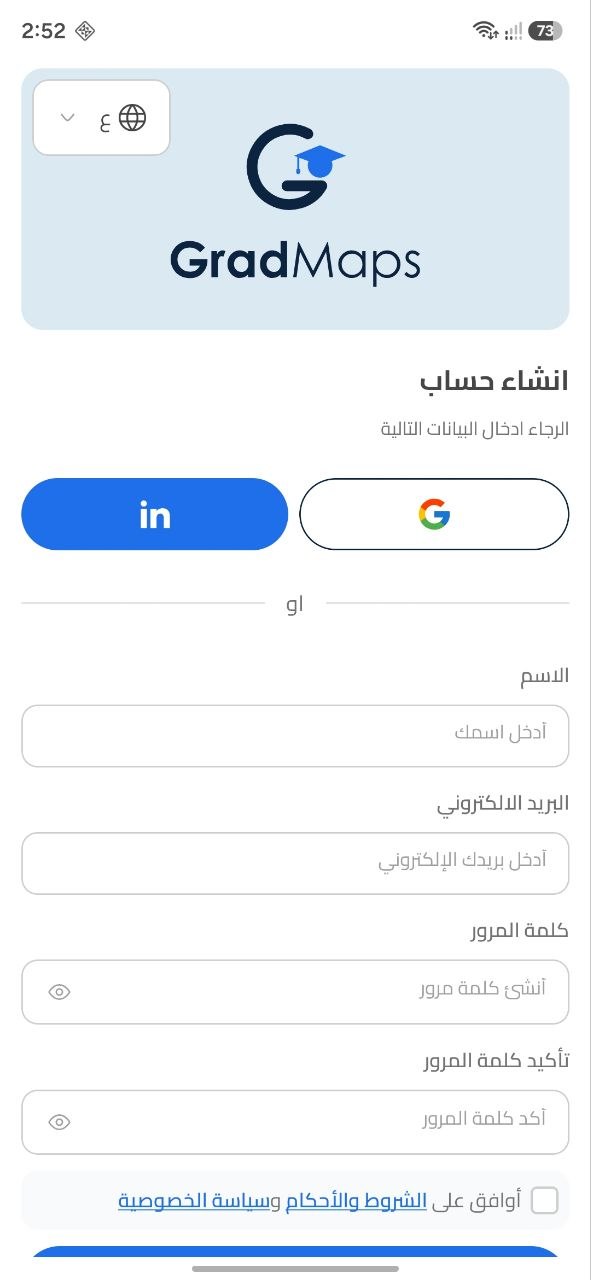
Open GradMaps and choose Create account. Use an available Google or LinkedIn sign-in option, or enter your name, email, and password. Review and accept the terms and privacy policy to continue.
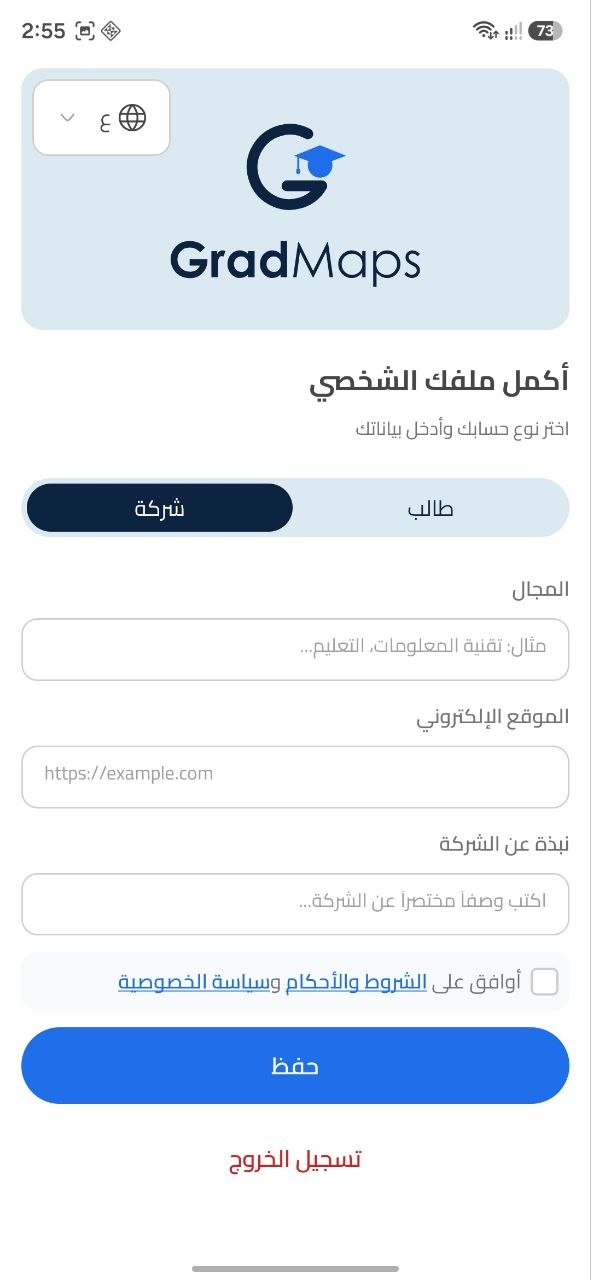
On Complete your profile, select Company rather than Student. Add your industry, website, and a short company introduction, accept the terms, then tap Save.
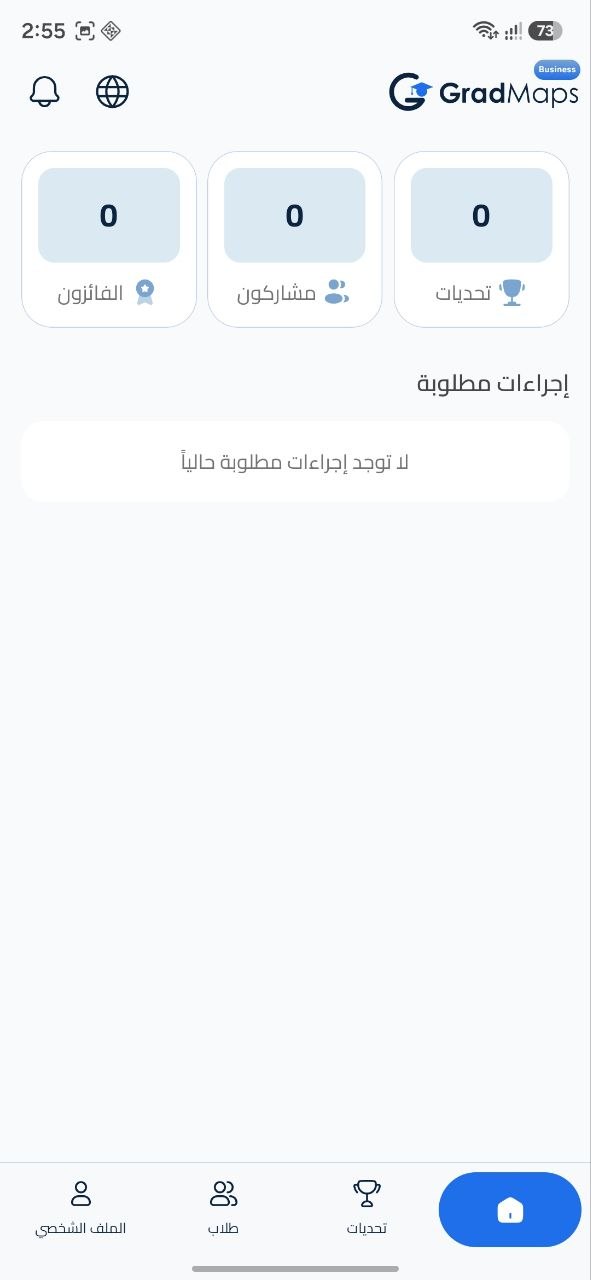
Continue past the welcome screen using Start your journey. The company home screen shows your challenges, participants, winners, and any required actions.
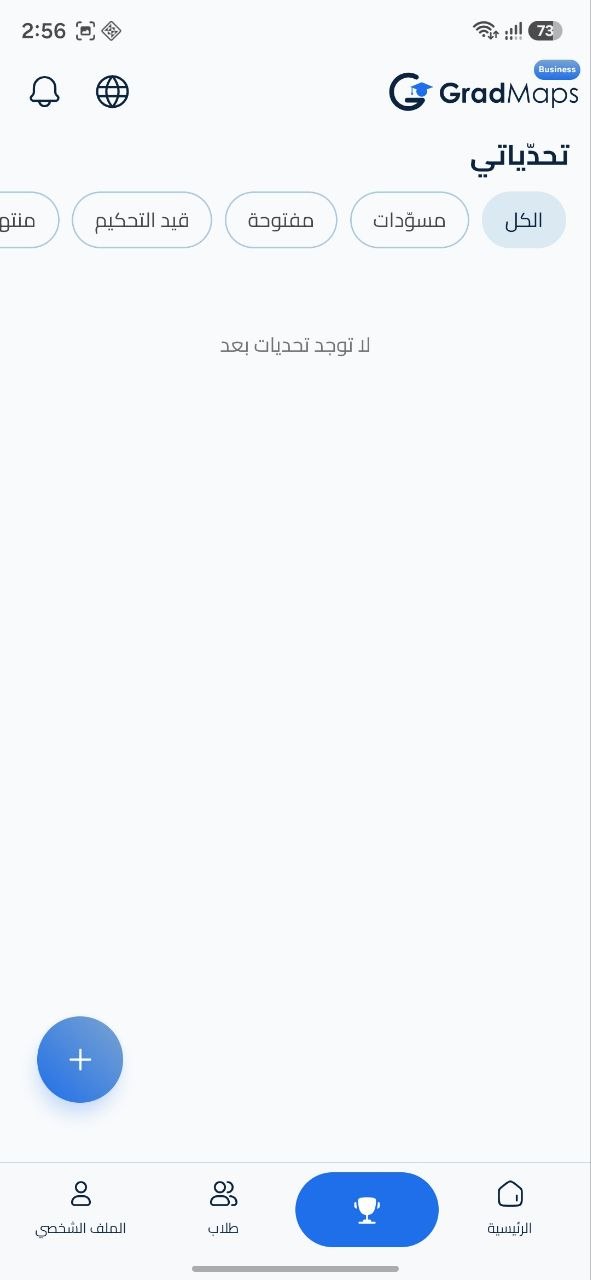
Open the Challenges tab, marked with a trophy in the bottom navigation. In My challenges, tap the plus (+) button to create a new challenge.
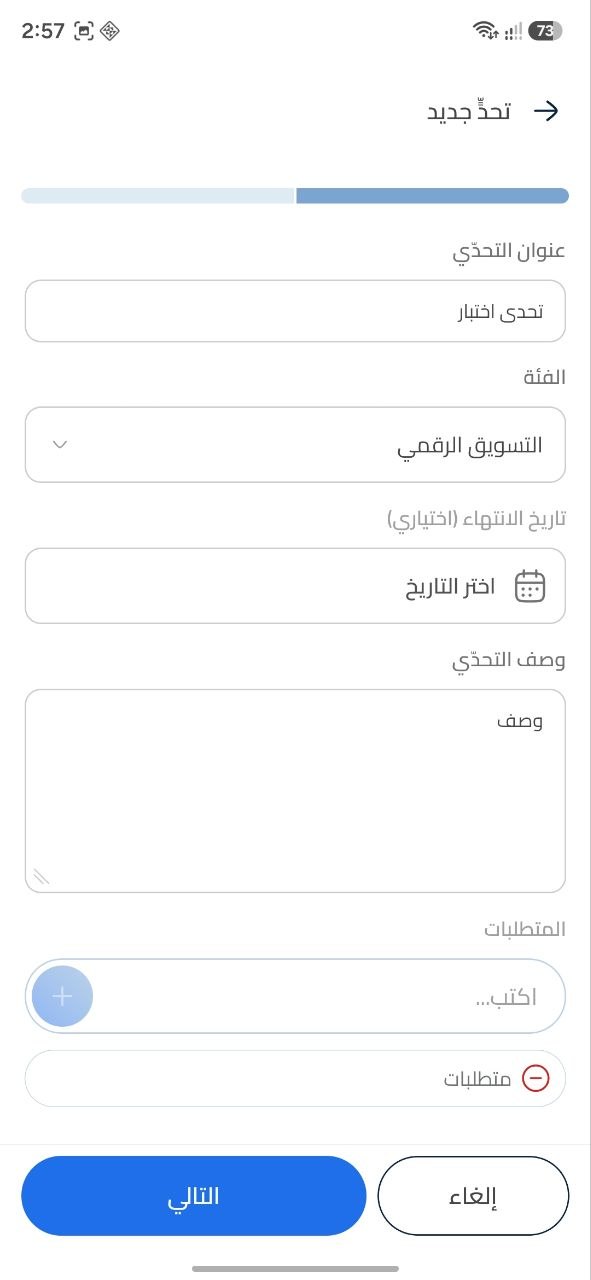
Enter a title and select the relevant category. Add an optional deadline and describe the problem you want students to solve. Enter each requirement and use the plus button to add it to the list, then tap Next.
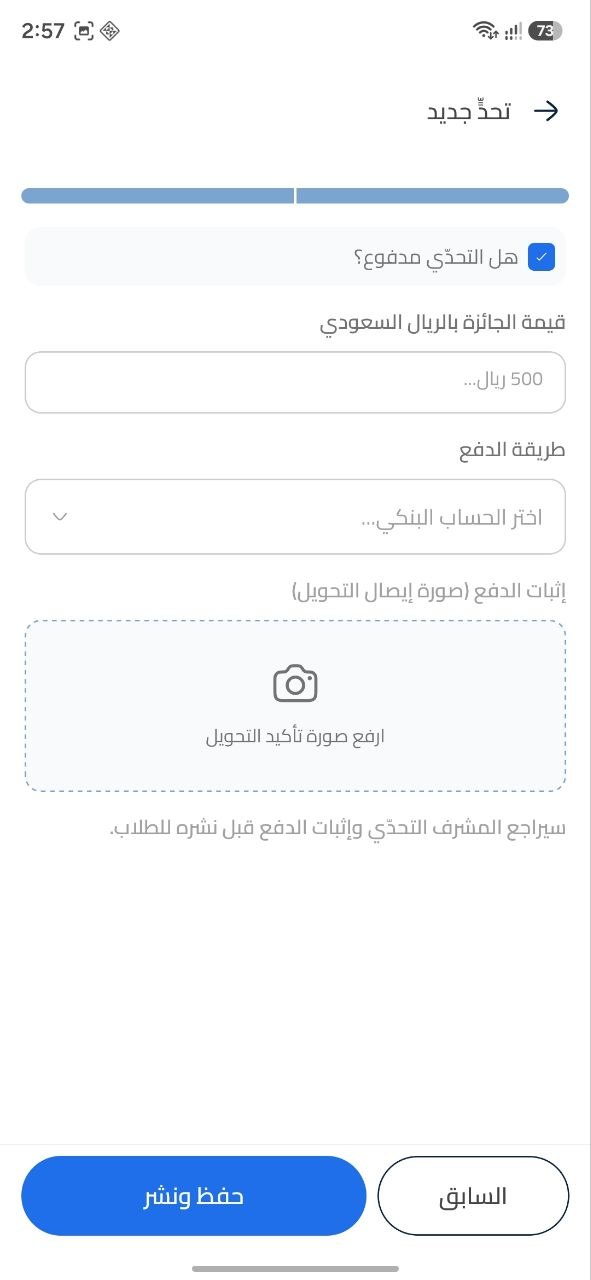
For a paid challenge, enable Is the challenge paid?, enter the prize amount in Saudi riyals, and select the bank account from the payment method list. Transfer the prize amount to the selected account and upload an image of the transfer receipt. For a free challenge, leave the paid option off.
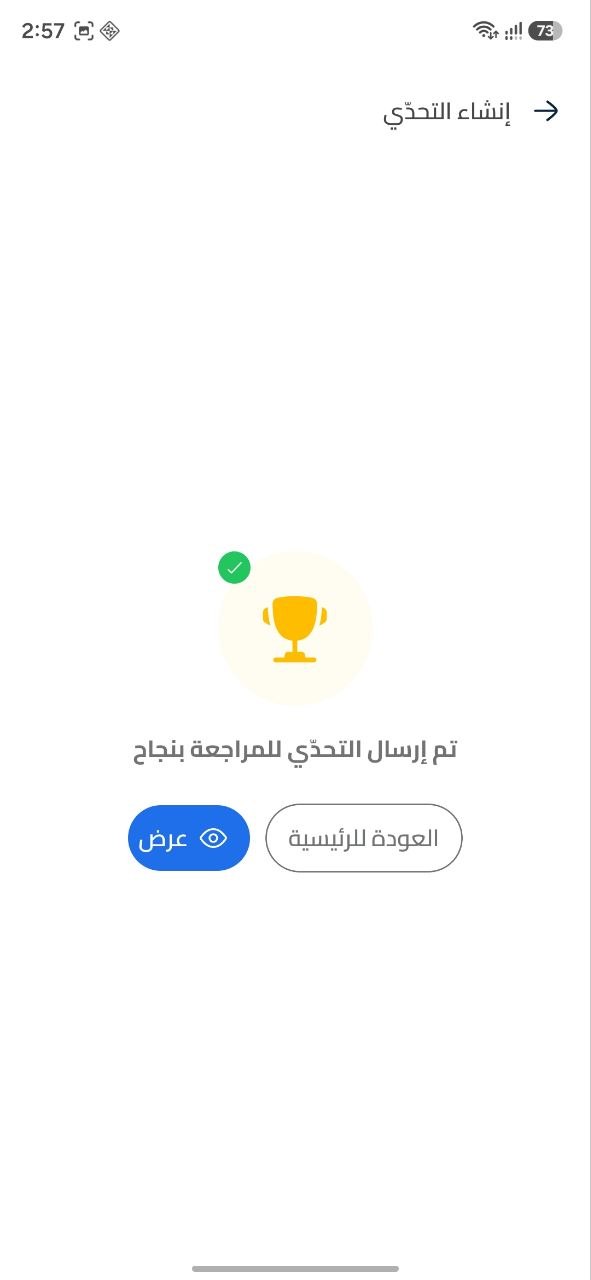
Tap Save and publish, then confirm Send for review. The success screen confirms that the challenge was submitted for review; it does not mean it is already public. Choose View to inspect it, or return to Home.
Your challenge is sent to the GradMaps team for review. It becomes visible to students only after approval. For paid challenges, the payment evidence is also reviewed.
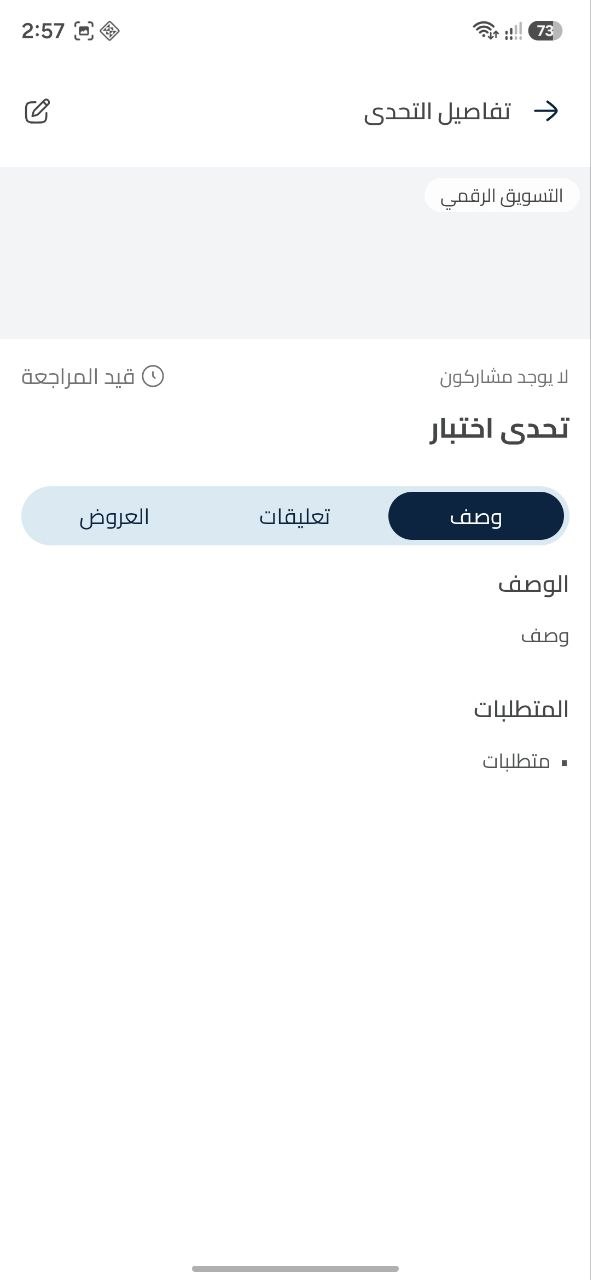
Open the challenge to check its status and review the description and requirements you submitted. While it is Pending review, wait for the GradMaps team’s decision. Students can see the challenge once it is approved.
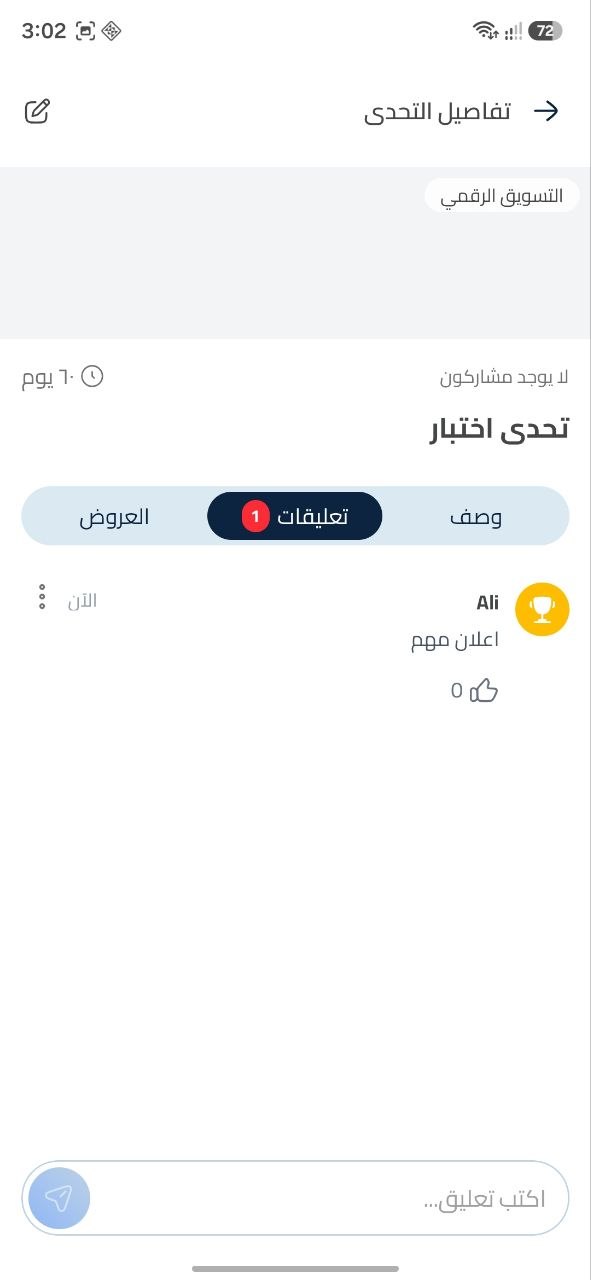
After approval, use the challenge’s Comments tab for announcements and clarifications. The challenge details also include an Offers tab, where you can follow the offers submitted for the challenge.
Open the GradMaps app and follow the guide. If you need help with your company account or submission, contact our team.
Contact support